CBCT Software Ecosystem: DICOM Viewer, Planning Platforms, and PACS Integration
How dental practices configure CBCT software ecosystem — manufacturer viewer software (EzDent-i, Romexis, CS Imaging), third-party planning platforms (InVivoDental, Dolphin, coDiagnostiX, Blue Sky Plan), DICOM standard, practice management integration (Dentrix, Eaglesoft, Open Dental), PACS architecture, data privacy (HIPAA/GDPR/LGPD), and total software budget analysis.
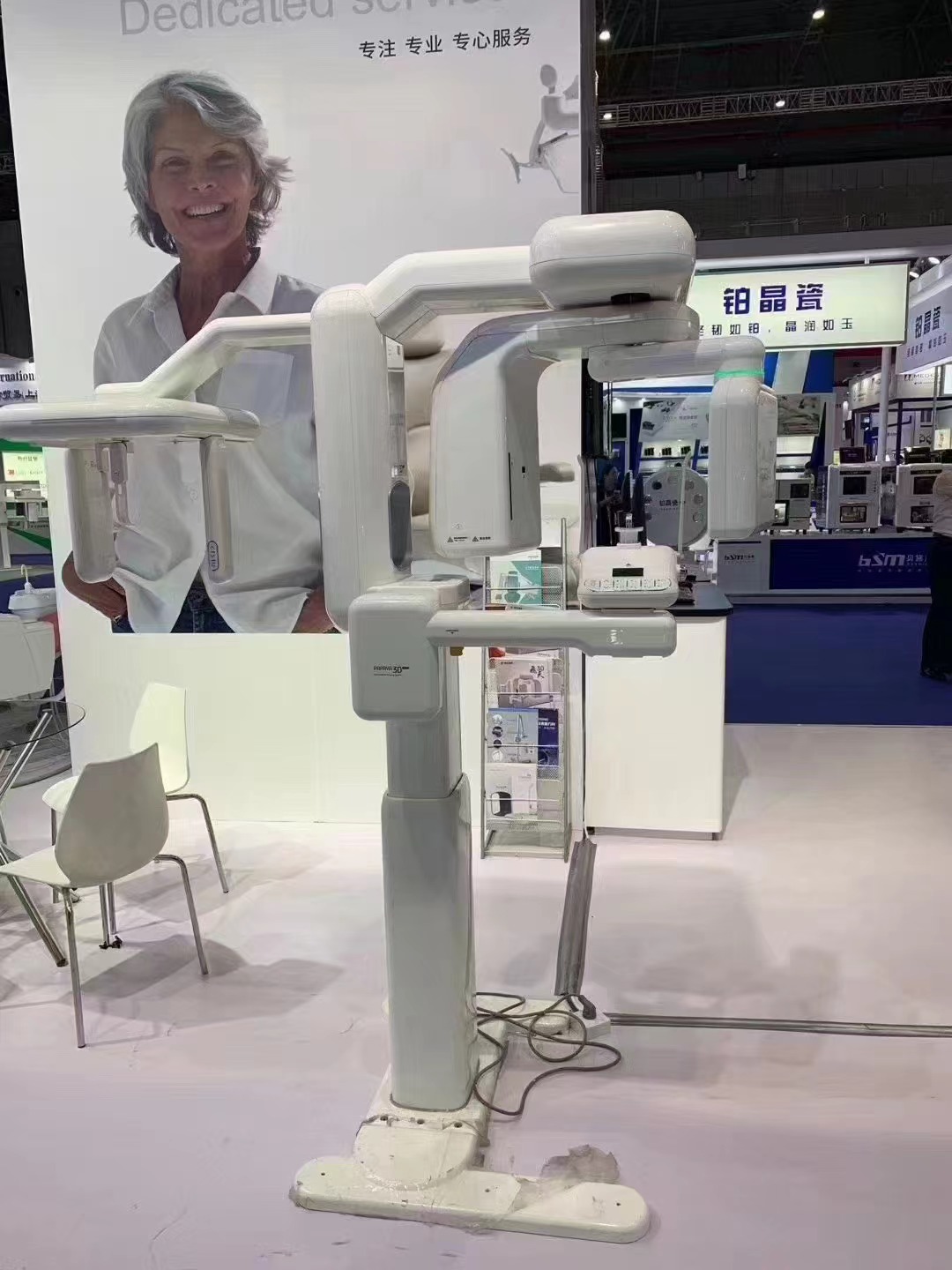
CBCT software ecosystem is frequently the determining factor in whether a CBCT purchase delivers its clinical value. The hardware captures the 3D X-ray data; software determines whether that data becomes clinically useful, integrates with treatment planning workflow, and flows efficiently between clinical and administrative systems. This guide walks through the CBCT software stack — from built-in manufacturer viewers to dedicated planning software to DICOM ecosystem and PACS integration — with procurement and configuration considerations for practices commissioning CBCT from Shanghai.
The CBCT software stack
CBCT generates data that flows through multiple software layers:
- Acquisition software: scanner-side software controlling acquisition protocols, exposure, and initial reconstruction
- Reconstruction software: reconstruction algorithm converting raw projection data to 3D volume (typically integrated with acquisition software)
- Viewer software: clinical viewing with multi-planar reconstruction, 3D rendering, measurement tools
- Specialty analysis software: application-specific tools (implant planning, orthodontic analysis, endodontic analysis, airway analysis)
- Practice management integration: DICOM flow into patient record system
- PACS/cloud storage: centralized archive and retrieval
Manufacturer-provided software
What’s typically included
- Acquisition software: scanner control panel, protocol selection, patient positioning tools
- Basic viewer: DICOM viewer with multi-planar reconstruction, basic 3D rendering, measurement tools, export functionality
- Patient database: local image database with patient record management
- DICOM export: standard DICOM 3.0 export for integration with third-party software
- Basic annotation: measurement, labeling, treatment planning annotation
What typically costs extra
- Advanced specialty modules: implant planning with comprehensive implant libraries, airway segmentation, orthodontic analysis, endodontic-specific tools
- Multi-station licensing: additional workstations for treatment planning away from CBCT room
- Cloud workflow: cloud-based sharing and collaboration tools
- AI-enhanced features: AI-assisted landmark identification, automatic segmentation, report generation
- Practice management integration plugins: specific integration with Dentrix, Eaglesoft, Open Dental, etc.
Common manufacturer software platforms
- Vatech: EzDent-i, Ez3D-i, Ez3D Plus
- Carestream: CS Imaging (various versions)
- Planmeca: Romexis (comprehensive platform)
- Sirona/Dentsply: SIDEXIS
- Morita: i-Dixel
- NewTom: NewTom NNT
- Chinese manufacturer proprietary software: typically basic viewer with DICOM export
Third-party dedicated planning software
Comprehensive CBCT planning platforms
- InVivoDental (Anatomage): comprehensive CBCT analysis including implant, orthodontic, airway tools
- Dolphin Imaging: dominant orthodontic CBCT analysis platform with 3D cephalometric analysis, surgical planning, airway analysis
- 3Shape Implant Studio: implant-focused planning within 3Shape ecosystem
- coDiagnostiX (Dental Wings): comprehensive implant planning with extensive implant library
- Blue Sky Plan: free tier for basic planning, paid tier for surgical guide export and advanced features
Specialty-focused platforms
- Nemoceph / Nemotec: orthodontic analysis with CBCT support
- OnyxCeph: orthodontic treatment planning with CBCT integration
- 3DSlicer: open-source 3D analysis platform, research-grade
- OsiriX / Horos: general DICOM viewers with extensive plugin ecosystem
- ProPlan CMF (Materialise): oral and maxillofacial surgical planning
AI-enhanced platforms
- Diagnocat: AI-assisted radiological analysis
- Pearl / Overjet: AI dental radiology platforms (primarily 2D but CBCT expansion underway)
- Various emerging platforms: AI segmentation, automatic anatomy identification, report generation
DICOM: the universal data format
What DICOM standard provides
- Standardized image format: DICOM 3.0 format is universally supported across medical imaging industry
- Metadata standardization: patient identifiers, study information, acquisition parameters standardized
- Vendor independence: CBCT from one manufacturer viewable in any DICOM-compatible software
- Multi-modality integration: same format used for CBCT, CT, MRI, ultrasound, angiography
DICOM export verification
Before committing to CBCT purchase, verify:
- Open DICOM export: standard format without proprietary encryption
- Metadata completeness: patient information, study information, acquisition parameters preserved
- Anonymization tools: for research, second opinion, or data sharing
- Batch export: multiple studies exported efficiently
- Multi-format export: option for STL export (bone segmentation), JPEG screenshots
DICOM import flexibility
- CBCT software should import DICOM from other sources (CT, MRI)
- Multi-modality data fusion: CBCT + MRI for TMJ, CBCT + CT for complex cases
- Legacy data import: existing CBCT library from previous practice or equipment
Practice management software integration
Typical dental practice management systems
- North America: Dentrix, Eaglesoft, Open Dental, Curve Dental, Practice-Web
- Europe: DentalVision, Planmeca’s PlanNet, Dentally, SOE
- Latin America, Asia, Middle East: various regional and international platforms
Integration approaches
- Direct integration plugin: manufacturer provides plugin for specific practice management system; images flow directly into patient record
- TWAIN interface: standard imaging interface for legacy practice management integration
- DICOM push/pull: images pushed from CBCT to practice management via DICOM protocol
- File-level integration: basic integration via folder monitoring and file naming conventions
Integration verification checklist
- Does CBCT software integrate with our specific practice management system?
- What integration level (direct plugin vs. DICOM push vs. TWAIN)?
- Does patient identification transfer automatically?
- How are CBCT images displayed within patient record?
- Can images be annotated within practice management or only in CBCT software?
PACS (Picture Archiving and Communication System)
When PACS makes sense
- Multi-location practice: shared image access across locations
- Specialty referral integration: specialists accessing referring clinic images
- Large case volume: centralized archive with structured retrieval
- Regulatory or insurance requirements: some jurisdictions require long-term medical imaging archive
- Research applications: structured database for research queries
PACS architecture options
- On-premises PACS server: dedicated server at practice, complete data control, requires IT infrastructure
- Cloud PACS: subscription-based cloud storage and retrieval, lower capital cost, ongoing operational expense
- Hybrid: local cache with cloud archive for recent access speed + long-term archive
PACS vendor options
- Enterprise PACS: GE Centricity, Agfa IMPAX, Philips IntelliSpace — typically for hospital-scale
- Mid-tier dental PACS: Apteryx XVWeb, various dental-specific PACS solutions
- Cloud-native PACS: Mogi, Ambra, various cloud-first solutions
Storage and retention considerations
- Typical CBCT study size: 100–500 MB
- Annual storage for busy CBCT practice (500 scans/year): 50–250 GB
- Retention period: 7–10 years typical dental record retention; longer in some jurisdictions
- Backup strategy: local + off-site or local + cloud redundancy
- Disaster recovery: tested recovery procedures
Data privacy and security
Patient data protection
- HIPAA (United States): patient health information protection; PACS and CBCT systems must be HIPAA-compliant
- GDPR (European Union): general data protection regulation; strict consent, data handling, and cross-border transfer requirements
- LGPD (Brazil), PIPL (China), POPIA (South Africa), etc.: regional data privacy regulations
- Access controls: user authentication, role-based access, audit logging
- Encryption: at-rest and in-transit encryption for patient data
- Cross-border data: some jurisdictions restrict patient data transfer across borders; cloud PACS must address
Computer hardware requirements
CBCT acquisition workstation
- CPU: Intel i7 or Ryzen 7 current generation minimum
- RAM: 32GB minimum, 64GB preferred for large datasets
- GPU: dedicated graphics card with 4GB+ VRAM for 3D rendering
- Storage: fast NVMe SSD for active datasets + large HDD for archive; 2TB+ total
- Display: high-resolution monitor (1920×1080 minimum, 4K preferred); often dual-monitor
- Network: gigabit LAN for efficient data transfer
Treatment planning workstation (separate from CBCT room)
- Similar specifications to acquisition workstation
- Often multiple treatment planning workstations in multi-doctor practice
- License costs typically apply per workstation
Network infrastructure
- Gigabit Ethernet minimum
- Structured cabling for future expansion
- Dedicated imaging VLAN for network segmentation
- Quality network switches with sufficient bandwidth
Licensing models
- Perpetual license: one-time purchase, permanent license; software updates typically require annual maintenance subscription
- Subscription license: annual or monthly fee; includes updates
- Per-workstation vs. per-user: licensing basis varies; per-workstation more common
- Per-module: specialty modules (implant, orthodontic, airway) licensed separately
- Educational / research licensing: discounted rates for academic institutions
Typical software budget for CBCT practice
- Manufacturer CBCT software (basic viewer): typically included with CBCT purchase
- Advanced manufacturer modules: USD 1,500–8,000 typical incremental cost
- Third-party implant planning software: USD 2,500–12,000 perpetual or USD 1,500–3,500/year
- Orthodontic analysis software (Dolphin or similar): USD 4,500–12,000 perpetual or USD 2,000–4,500/year
- Practice management integration plugins: USD 500–2,500 typical
- PACS infrastructure (if applicable): USD 3,500–25,000 depending on scale
- Total typical software budget: USD 5,000–40,000 for comprehensive software ecosystem
Common software ecosystem mistakes
- Buying CBCT without verifying software ecosystem: hardware is adequate, but software doesn’t integrate with existing clinical workflow
- Assuming included software is sufficient: basic manufacturer software often inadequate for specialty clinical work
- Ignoring workstation specification: inadequate computer hardware creates frustrating slow workflow
- Skipping DICOM compatibility verification: discovering DRM or proprietary format issues after purchase
- Under-budgeting for multi-station licensing: treatment planning requires workstations beyond CBCT room
- Overlooking practice management integration: creates workflow friction and data silo
- Not planning data backup and archive from day 1: discovering archive limitation after data loss
Evaluating CBCT software ecosystem for your practice?
WhatsApp us with your practice management system in use, specialty clinical applications (implant, orthodontic, airway, endodontic), multi-location or single-location workflow, PACS or cloud storage requirements, and destination country data privacy framework. We’ll propose CBCT options with verified software ecosystem compatibility, discuss integration pathways for your specific clinical and administrative workflow, and quote FOB Shanghai pricing with full software licensing and integration budget analysis.
Chat on WhatsApp →Have a specific unit in mind?
Tell us which model you want and your destination port — we'll quote FOB or CIF with a video demo of the actual unit in our warehouse.